
Android app iPhone coming soon
Run local and cloud LLMs from your phone.
Ollama Local AI turns your Android phone into an OpenAI-compatible gateway on your own network. Connect Cursor, VS Code, Windsurf or any tool that accepts a custom base URL.
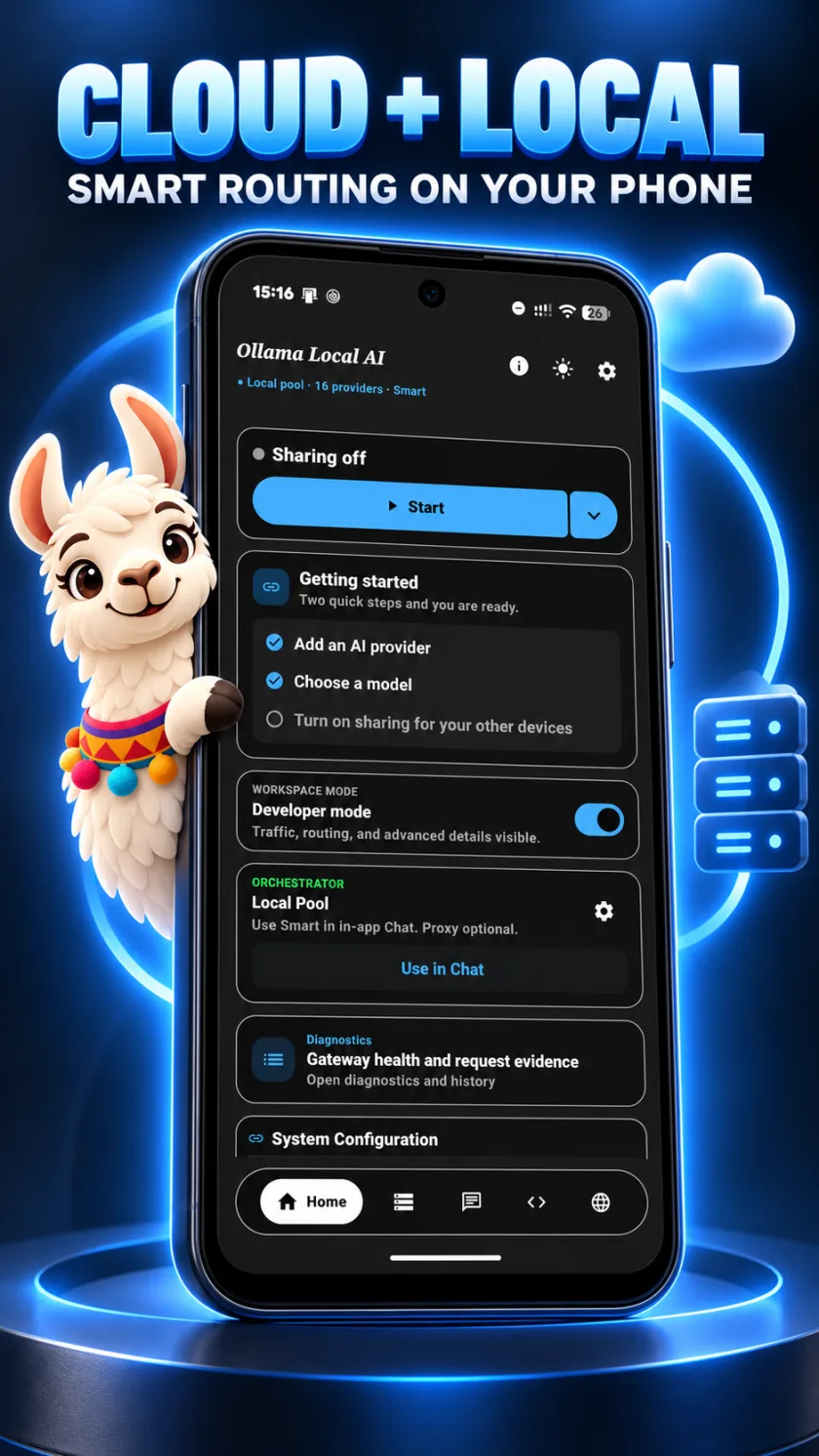
- On-deviceGGUF models with llama.cpp
- OpenAI-compatibleCursor, VS Code, Windsurf and more
- Cloud or localOpenAI, Claude, NVIDIA, Ollama and more
- Keys on-deviceAES-256 encrypted storage
What the gateway does.
Add providers, configure them with control, then watch every request.
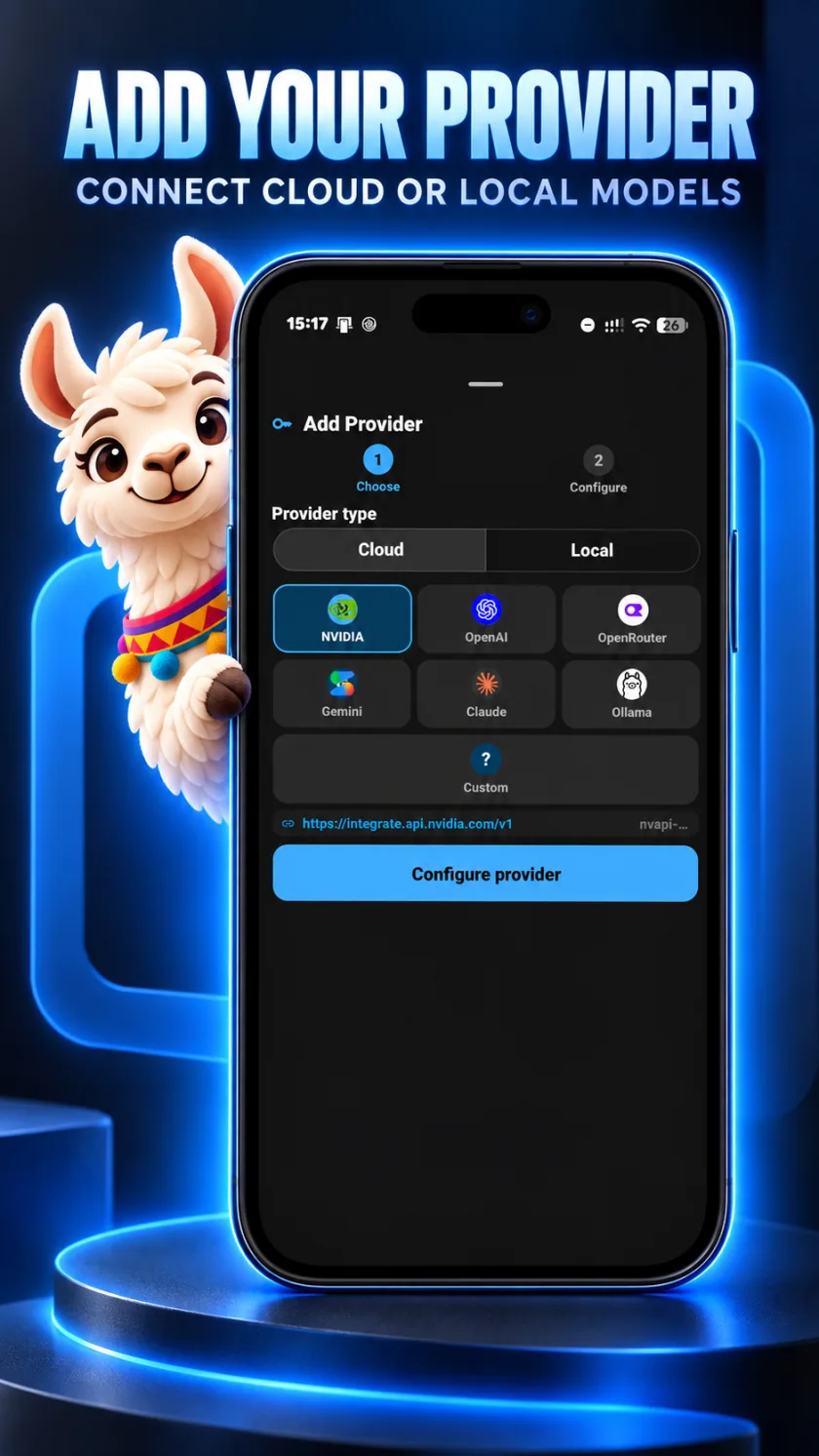
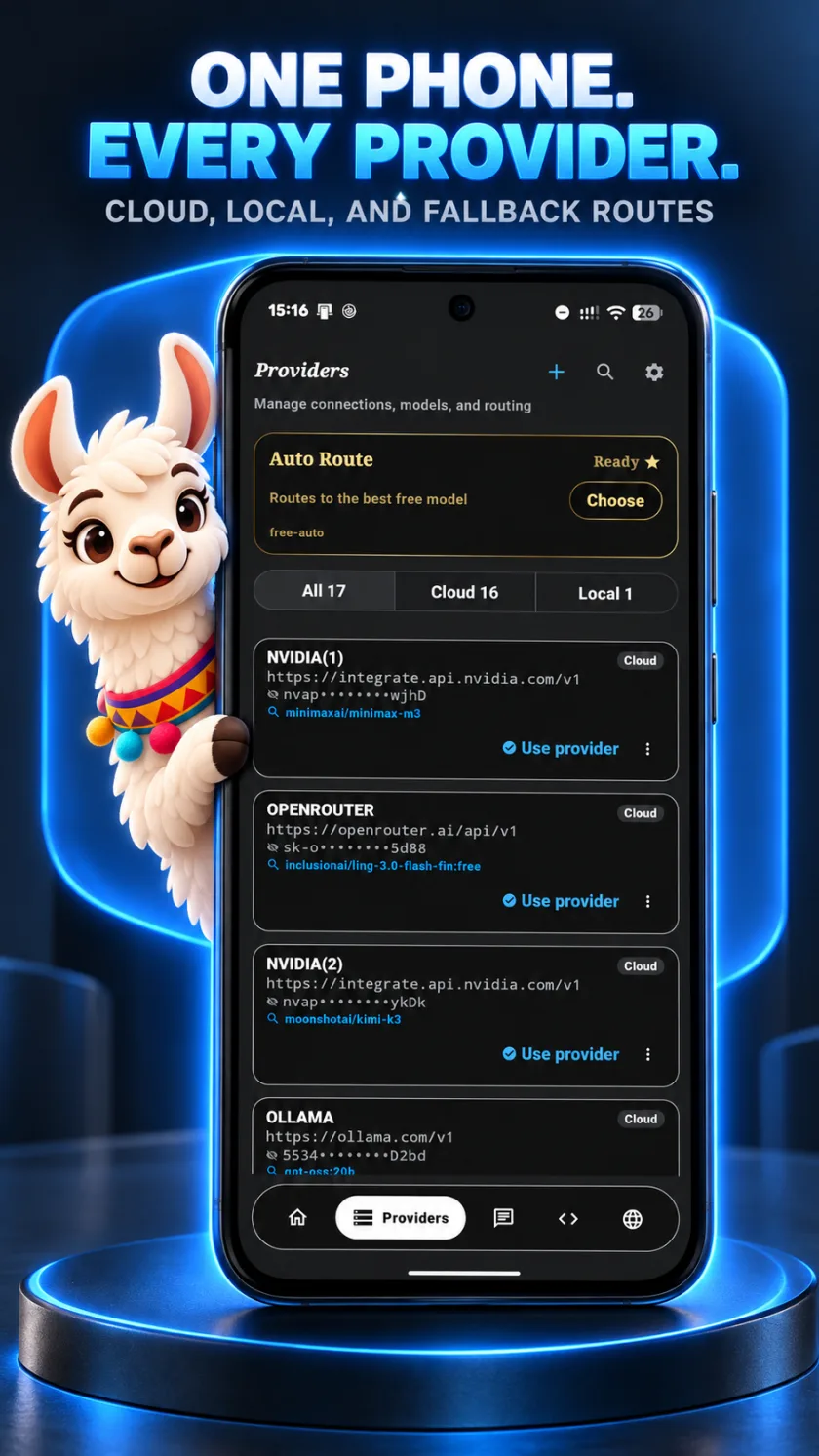
Add any provider, cloud or local.
Pick NVIDIA, OpenAI, OpenRouter, Gemini, Claude, Ollama or a custom OpenAI-compatible endpoint, or open the Local tab for models on your phone. Every provider sits in one list, and Auto Route can send requests to the best free model.
- Cloud tab for hosted providers
- Local tab for on-device models
- Auto Route picks a free model
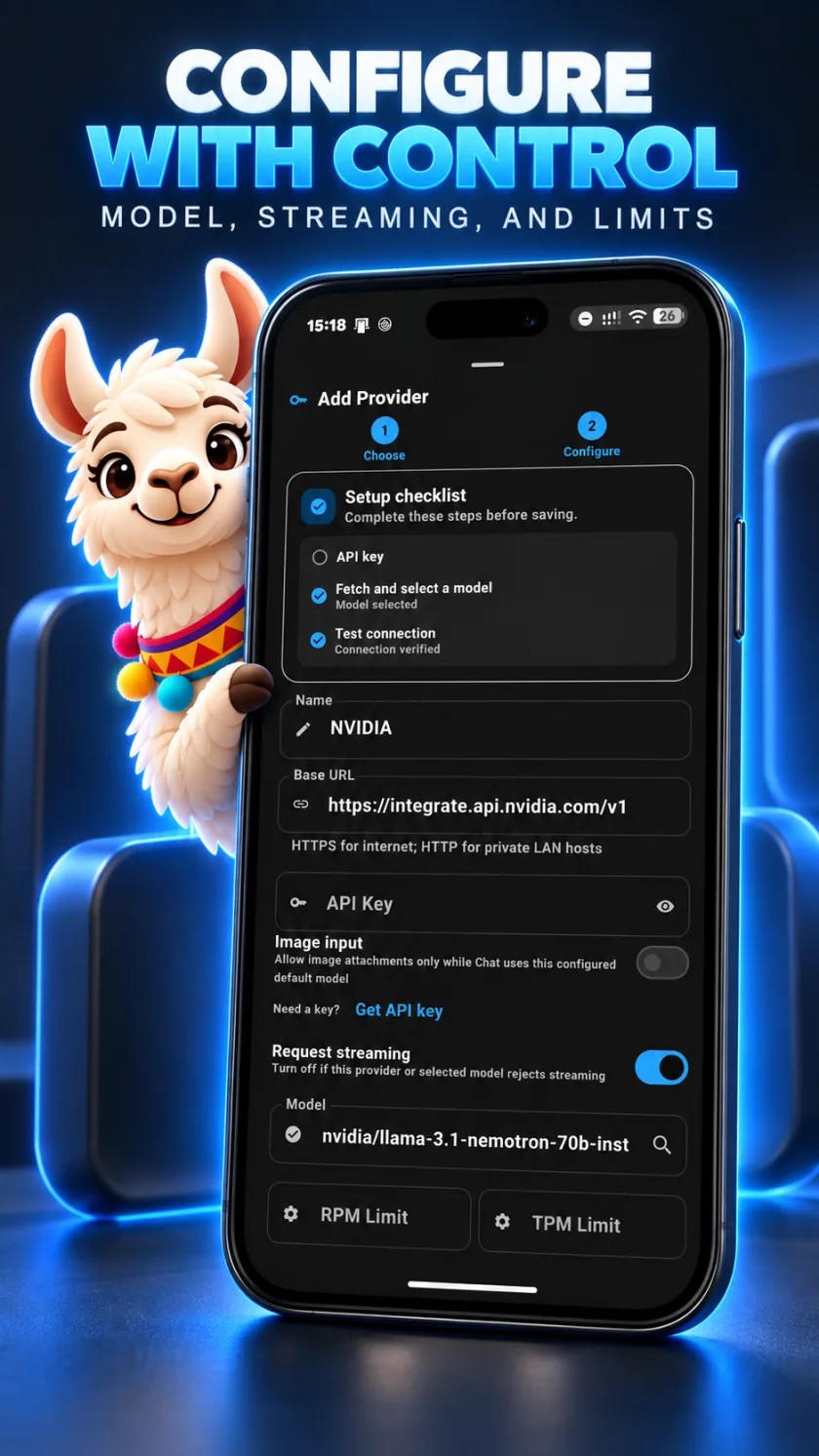
Configure with control.
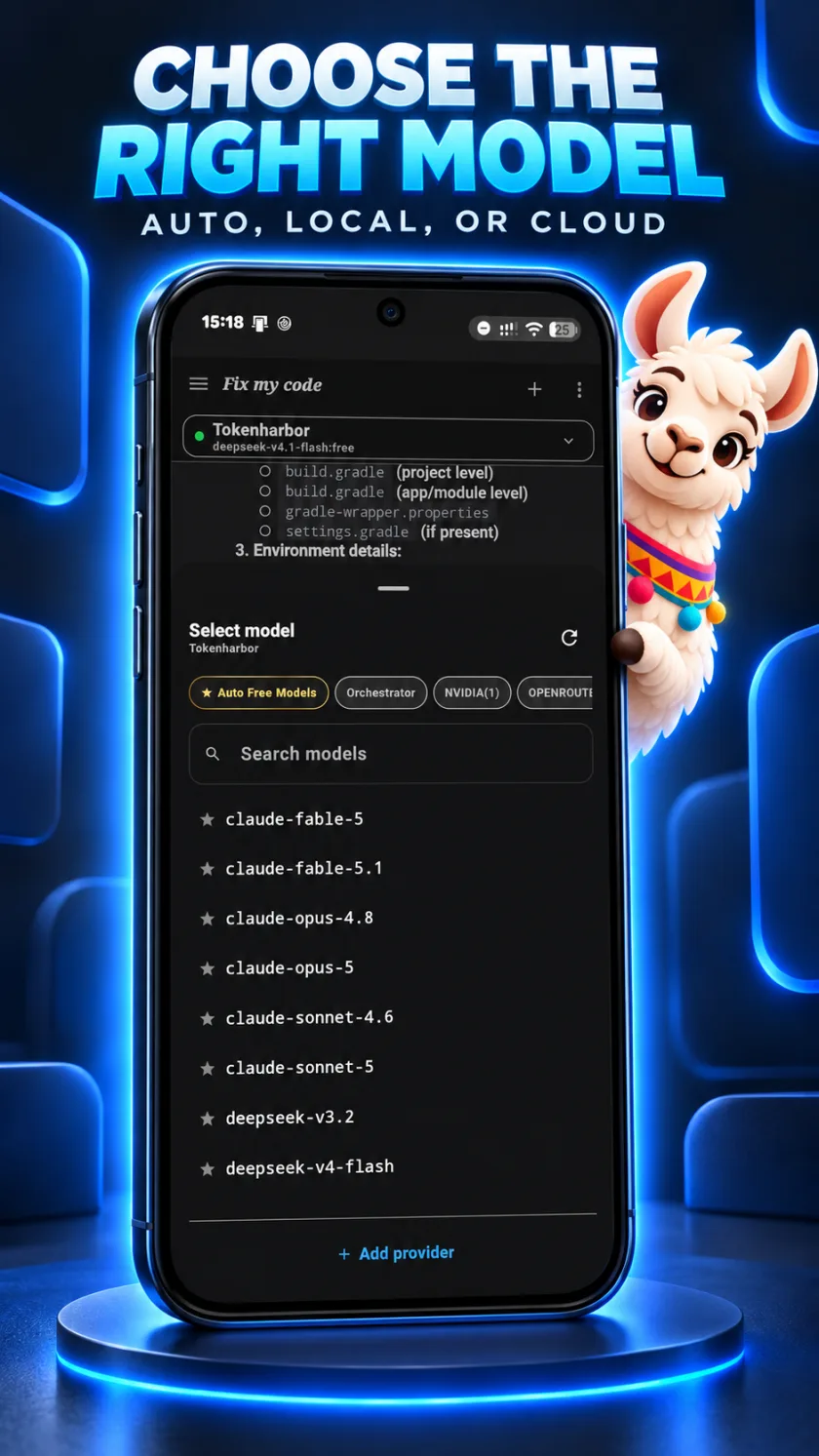
Set the base URL, API key, model and request streaming for each provider, and cap traffic with RPM and TPM limits. A setup checklist checks the key, the model and the connection before you save, and the model picker filters by auto, orchestrator, NVIDIA and more.
- Base URL, key, model and streaming per provider
- Request and token limits
- Searchable model picker
See every request.
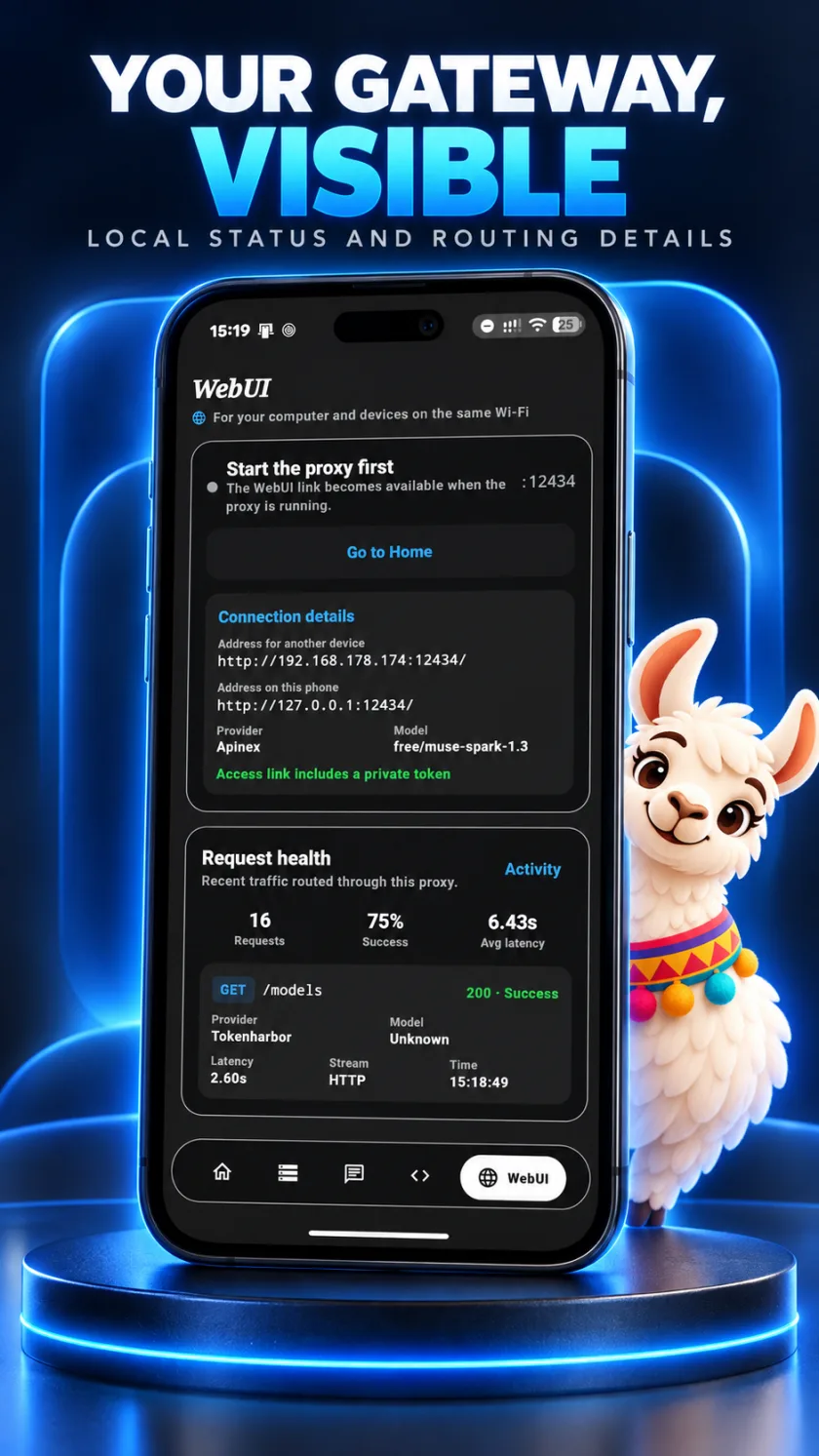
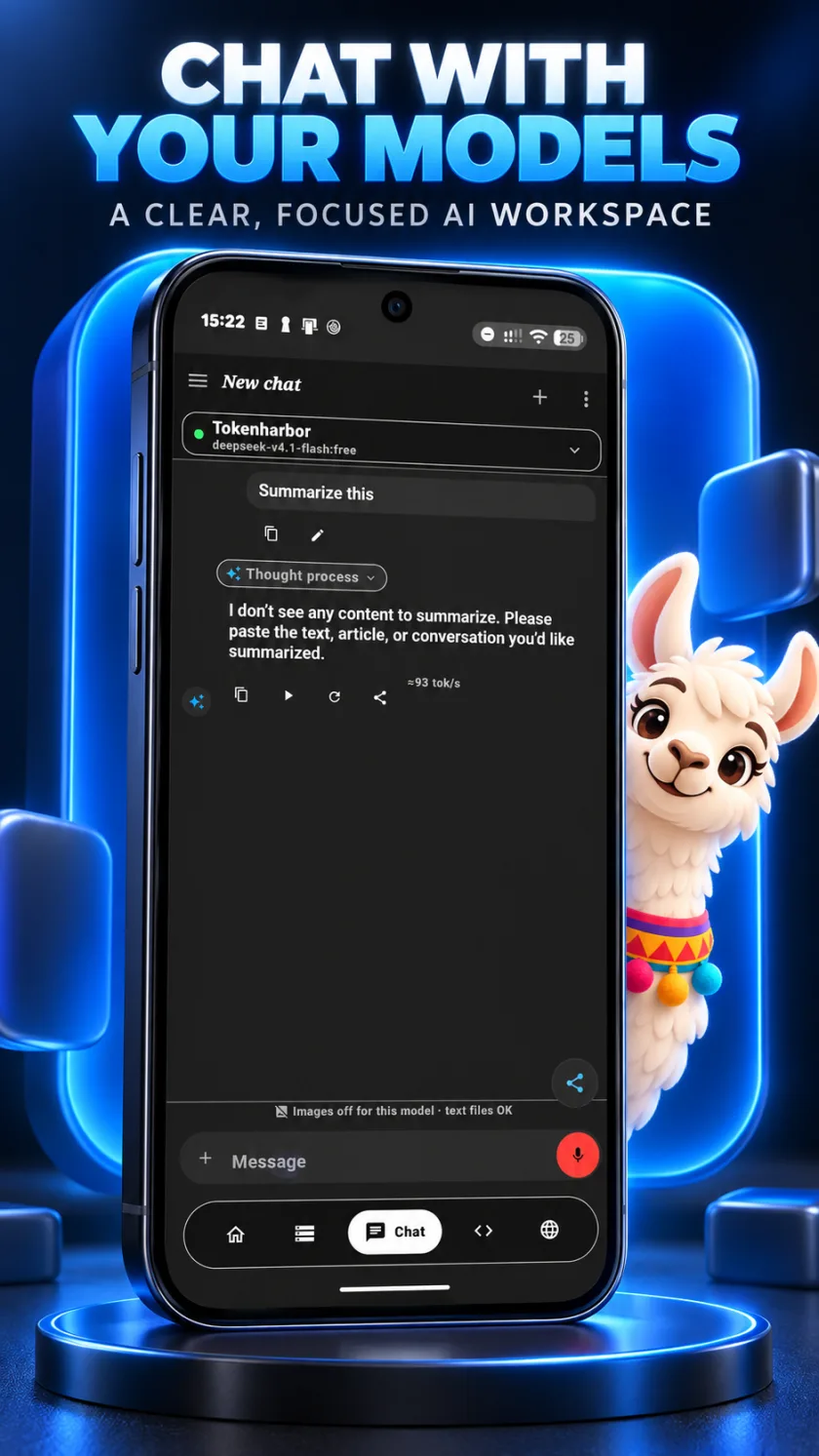
The WebUI shows the connection address for your other devices and request health: requests, success rate and average latency, with details for each call. Chat with your models in a focused workspace that shows tokens per second.
- Request health at a glance
- WebUI for any browser on your network
- Chat with live tokens per second
From phone to IDE in three steps.
Your phone runs the server. Your computer and phone need to be on the same Wi-Fi network, and your tools talk to it like any OpenAI-style API.
Add a model or provider
Choose a local GGUF model, or add a cloud provider such as OpenAI, Claude, NVIDIA, OpenRouter, Gemini or Ollama.
Choose a model, then tap Start
The app shows the endpoint for your local network, such as
http://192.168.1.50:8080/v1(an example).Point your tool at the endpoint
Set the OpenAI base URL in your editor or script to that endpoint. Any placeholder API key works.
# endpoint shown in the app (example)
export BASE=http://192.168.1.50:8080/v1

# check it from any device on the same Wi-Fi
curl $BASE/models

# chat through it
curl $BASE/chat/completions \
  -H "Content-Type: application/json" \
  -d '{
    "model": "<MODEL_ID>",
    "messages": [{"role": "user", "content": "Hello"}]
}'Every screen, straight from the app.
The official Google Play screenshots of Ollama Local AI.
Everything else in the toolkit.
On-device inference, cloud routing and a standard API, all in one Android app.
On-device inference
Run quantized GGUF models directly on your phone with an embedded llama.cpp engine. Llama 3, Mistral, Phi, Gemma and Qwen families work without an internet connection.
OpenAI-compatible API
Serves /v1/chat/completions, /v1/models and /health to devices on your network, so tools that take a custom base URL connect with a single setting change.
Cloud and local, one gateway
Switch between on-device models, self-hosted Ollama, llama.cpp servers, OpenAI, Claude, NVIDIA NIM, Hugging Face, OpenRouter, Gemini or a custom endpoint.
Smart routing and failover
Request pools, timeouts, rate limits, automatic failover and round-robin keep requests flowing. Auto Route can pick a free model for you.
LAN device clusters
Pair several Android devices as master and worker nodes to pool memory and compute on your private network.
Traffic Observatory
Follow token speed, latency and request payloads live, with request health and diagnostics for the whole gateway.
WebUI on any screen
Open the full chat and management console from a PC or tablet browser on the same network.
Canvas and agents
Coordinate multi-agent tasks and preview the HTML, Tailwind and JavaScript your model writes right inside chat.
Encrypted key storage
Provider settings and API keys stay on the device in AES-256 encrypted storage and are never uploaded.
Works with the tools you already use.
One standard endpoint means any IDE, extension, framework or script that accepts a custom OpenAI-compatible base URL can connect.
IDEs
- Cursor
- VS Code
- Windsurf
- JetBrains IDEs
- Antigravity
- Zed
Extensions and CLIs
- Continue
- Cline
- Roo Code
- Aider
- Claude Code
- Codex CLI
- Open WebUI
Frameworks and scripts
- LangChain
- LlamaIndex
- LiteLLM
- AutoGen
- CrewAI
- Python
- cURL
Listed tools are examples of software that can use a custom OpenAI-compatible base URL. They are not endorsements or partnerships, and all product names are trademarks of their respective owners. Check each tool's documentation for the exact setting.
Local-first, by design.
Your keys and settings stay on your phone. When you use a cloud provider, requests go directly from your device to that provider, with no relay server in between.
- Data collected
- None, per the Google Play data safety section
- Third-party sharing
- None, per the Google Play data safety section
- API keys
- Stored on the device with AES-256 encryption
- Cloud requests
- Phone to provider directly, no relay
- Data in transit
- HTTPS to cloud providers, HTTP for hosts on your private network
- On-device models
- Work without internet
From Google Play reviews.
“Simple to use, smooth interface, and the best way to keep your AI conversations private on mobile. Highly recommended!”
“The ability to self-host my own custom models is amazing. I use it with Claude Code and it's just amazing.”
Set it up with step-by-step guides.
Practical walkthroughs for running models on Android and connecting your tools.
- Run an LLM on your Android phoneGGUF models, llama.cpp and what works offline.
- Use Cursor with a local LLM on your phonePoint Cursor at your phone's endpoint.
- VS Code, Continue, Cline and Roo CodeConnect your editor extensions.
- The OpenAI-compatible API on AndroidEndpoints, curl, Python and JavaScript examples.
- Ollama Local AI vs OllamaHow the Android app differs from the desktop tool.
Frequently asked questions.
What is Ollama Local AI?
Ollama Local AI is an Android app that turns your phone into a private, OpenAI-compatible LLM gateway. You can run quantized GGUF models on the device with llama.cpp or route requests to cloud providers, then connect your IDE or tools to the phone over your local network.
Is Ollama Local AI free?
Yes. The app is free to install, with optional in-app purchases. Pricing for purchases is shown on its Google Play listing.
Is there an iPhone or iOS version?
Not yet. An iPhone version is coming soon. For now Ollama Local AI runs on Android 8.0 and newer.
Does it only run local models, or can I use cloud AI too?
Both. Run models on the phone with llama.cpp, or route to cloud providers such as OpenAI, Claude, NVIDIA NIM, Hugging Face, OpenRouter and Gemini, as well as self-hosted Ollama instances and custom OpenAI-compatible endpoints. You switch between them inside the same gateway.
How do I connect Cursor, VS Code or Windsurf?
Start the server in the app and copy the endpoint it shows, for example http://192.168.1.50:8080/v1. In your tool, set the OpenAI base URL to that endpoint and use any placeholder API key. Any tool that accepts a custom OpenAI-compatible base URL can connect, and our step-by-step guides cover Cursor and VS Code extensions.
Which models can run on the phone?
The app runs quantized GGUF models through an embedded llama.cpp engine. Families such as Llama 3, Mistral, Phi, Gemma and Qwen are supported. How large a model you can run depends on your phone, so smaller quantized models are the safer starting point.
Does it work offline?
Models that run on the device work without an internet connection. Cloud providers, of course, need one.
Are my API keys safe?
Provider settings and API keys stay on your device in AES-256 encrypted storage. When you route to a cloud provider, traffic goes from your phone directly to that provider with no relay server in between.
Does the app collect my data?
According to its Google Play data safety section, the app collects no data and shares none with third parties, and data is encrypted in transit.
Is it affiliated with Ollama?
No. Ollama Local AI is an independent app by FreeRouter Team. It is not affiliated with, sponsored by or endorsed by Ollama, OpenAI, Anthropic or any other provider it can connect to. It can use Ollama as one of several providers. See Ollama Local AI vs Ollama at ollamamobile.app/guides/ollama-local-ai-vs-ollama/ for the differences.
What Android version do I need?
Android 8.0 or newer.
Can I use more than one phone?
Yes. LAN master and worker clustering lets you pair several Android devices on one network to pool memory and compute.
Your phone, your models, your rules.
Install Ollama Local AI and turn the phone in your pocket into a private LLM gateway.
